
왕국 Come : Deliverance 2 : 콘솔 명령에 대한 포괄적 인 안내서
작가 : Dylan
Feb 19,2025
-
Kingdom Come의 비밀 잠금 해제 : 콘솔 명령과 함께 구원 2 *
-
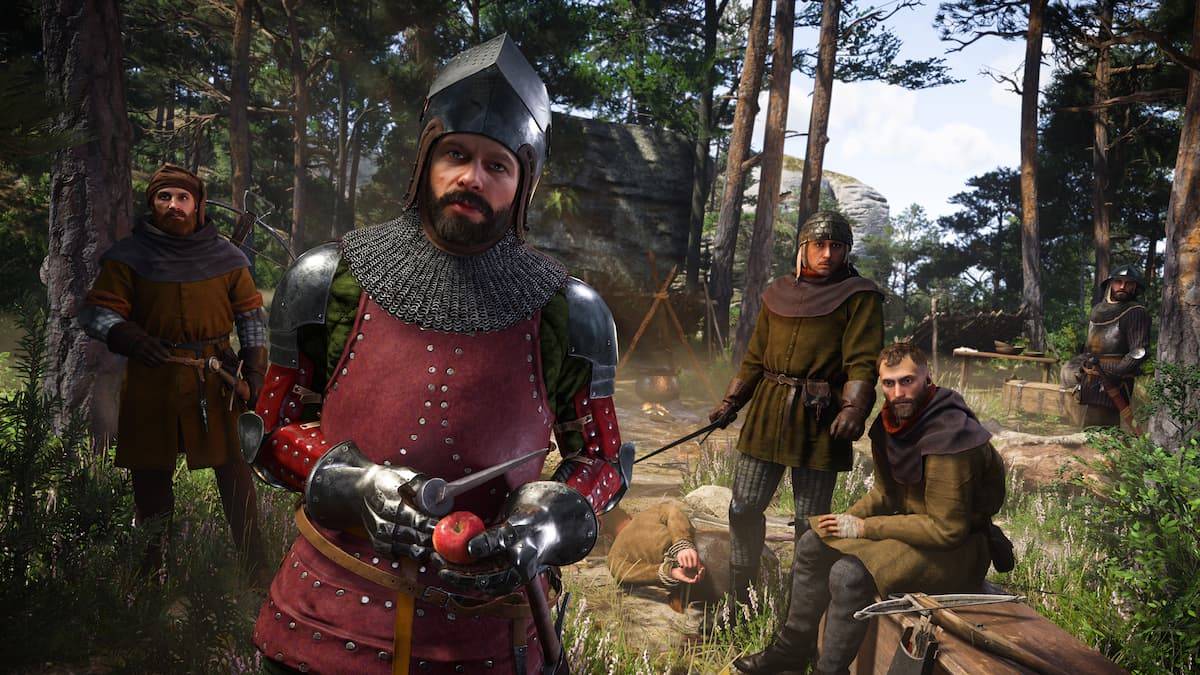
Kingdom Come : Deliverance 2*는 도전적인 게임 플레이 경험을 제공하지만 PC 플레이어는 콘솔 명령을 활용하여 모험을 단순화 할 수 있습니다. 이 안내서는 이러한 명령 및 치트를 활성화하고 활용하는 방법에 대해 자세히 설명합니다.
콘솔 명령 활성화 :
콘솔 명령은 PC 버전에만 해당됩니다. Steam을 통해 게임을 시작하기 전에 다음 단계를 따르십시오.
- 마우스 오른쪽 버튼을 클릭하십시오 왕국 Come : Deliverance 2 Steam 라이브러리에서.
- "속성"을 선택하십시오.
- "런치 옵션"필드에서
-devmode를 입력하십시오. - 게임을 시작하십시오. Tilde 키 (`)를 눌러 콘솔을 엽니 다.
콘솔 명령 및 치트 목록 :
다음 표에 사용 가능한 콘솔 명령 및 그 효과가 다음과 같습니다.
| Console Command | Effect |
|---|---|
| `wh_sys_NoSavePotion = 1` | Allows saving without Saviour Schnapps. |
| `wh_cheat_money [value]` | Adds specified Groschen to your inventory. Replace `[value]` with the desired amount. |
| `wh_horse_StealCurrentHorse` | Instantly steals the currently ridden horse. |
| `wh_rpg_OneShotKill = 1` | Enables one-hit kills for both the player and enemies. |
| `wh_horse_JumpHeight = [1-200]` | Adjusts horse jump height (1-200). |
| `wh_horse_JumpGravityMult = [-0.1-1]` | Modifies horse gravity (-0.1 to 1). |
| `wh_pl_LockPickingShakeOverride = 0` | Removes the shaking effect during lockpicking. |
| `wh_pl_LockPickingDOF = 50` | Increases lockpicking break time. |
| `wh_ui_showHUD = 0` | Disables the Heads-Up Display (HUD). |
| `wh_cheat_addItem [item ID]` | Spawns an item using its ID. See the Item ID list below. |
유용한 항목 ID :
wh_cheat_additem 명령과 함께이 ID를 사용하십시오.
- 구세주 Schnapps : 928463D9-E21A-4F7C-B5D3-8378ED375CD1 -** Marigold 달인 : **B38C34B7-6016-4F64-9BA2-65E1CE31D4A1 -** Armorer 's Kit : **167EB312-0E9D-4C2F-8CE3-56C32F5A84CB -** 재단사 키트 : ** 9F7A0C0A-6458-4622-9CC5-2F4DD4898B50
- 대장장이 키트 : C707733A-C0A7-4F02-B684-9392B0B15B83
- LockPick : 8D76F58E-A521-4205-A7E8-9AC077EE5F0`
이 포괄적 인 가이드는 Kingdom Come : Deliverance 2 에서 콘솔 명령 및 속임수를 활용하는 데 필요한 모든 정보를 제공합니다. 추가 게임 팁 및 전략을 보려면 추가 리소스를 온라인으로 문의하십시오.
최신 기사

소방 시뮬레이션 게임 'Emergency Call 112' Android에 출시
긴급 신고 112 – 공격대가 오늘 안드로이드에 도착합니다. Aerosoft가 발표하고 Crenetic이 개발한 이 게임은 당신을 소방관의 삶 속으로 빠져들게 합니다. PC용으로는 2023년 12월에 처음 출시되었습니다.주요 기능은 무엇인가요?모바일 버전의 긴급 신고 112 – 공격대에서는 전문 소방 공격 부대의 일원이 됩니다. 주거용 건물과 차량 화재는 물론, 산업 시설, 기업 타워, 지하 주차장 등 고위험 상황까지 처리하게 됩니다.사고 현장
스텔라 블레이드 개발자, 역대 최고의 성과 기록…PC판 판매량, PS5를 앞서며 정상 등극
스틸러 블레이드를 개발한 스트리프 업(Shift Up)이 최근 출시한 액션 RPG로 사상 최고의 재무 성과를 거두었다. 플레이스테이션 5 전용으로 출시된 이 게임은 인상적인 4,300만 달러의 로열티 수익을 기록했으며, 예측에 따르면 조만간 출시될 PC 버전이 콘솔 판을 넘어선 판매 성과를 올릴 전망이다.
게임 월드 옵저버(Game World Observer)의 2024년 재무 보고서 분석에 따르면, 스튜디오의 총 수익은 1억 5,140만 달러
모바일에서 10주년을 맞은 노노그램 퍼즐 게임
10년 전, 피처 크로스는 모바일에서 최고의 노노그램 경험을 제공하기 위해 '세계 최대의 피처 크로스'로 데뷔했습니다. 오늘날 1만 개 이상의 퍼즐을 보유한 피처 크로스는 10주년을 맞아 새로운 모드와 더 많은 도전 과제를 선보입니다.
아직 플레이하지 않았다면 지금 바로 게임을 시작하세요
피처 크로스는 다양한 그리드 크기와 쉬움부터 전문가 수준까지 다양한 난이도의 퍼즐을 무려 수천 가지 제공합니다. 게임 플레이는 전통적인 노노그램 형식을 따르며
세시페스트리, HBO 마크스 후 넷플릭스로 새 전환
세사미 스트리트의 여정은 계속된다. 1969년에 처음 방영된 사랑받는 아동 프로그램이 이제 HBO와 마크스가 2024년 말에 종료한 장기 협약을 마무리한 후, 넷플릭스와 펍에스(PBS)에서 스트리밍으로 제공될 예정이다.
새로운 에피소드는 전 세계적으로 넷플릭스에서 공개되며, 과거 시즌 전체 라이브러리도 함께 제공된다. 동시에 새로운 에피소드는 미국 내 펍에스 방송국과 펍에스 키즈 플랫폼에서도 방영일과 동시에 방영된다. 넷플릭스가 게임 분야 확장
세븐 나이츠 리:버스: 글로벌 안드로이드 사전 등록 개시
넷마블이 가장 사랑받는 모바일 RPG 중 하나를 새롭게 재탄생시키며 새로운 변형을 선보이고 있다: 세븐 나이츠 리버스. 글로벌 사전 등록이 현재 오픈되었으며, 게임의 새로 재탄생된 세계관을 처음으로 엿볼 수 있다.
원작 세븐 나이츠는 2015년 10월에 출시되어, 화사한 아트 스타일과 500여 명의 고유 캐릭터 중에서 드림 팀을 꾸릴 수 있는 흥미로운 요소로 빠르게 팬을 확보했다. 그렇다면 이번에 출시되는 버전에는 어떤 새로운 점이 있을까? 계
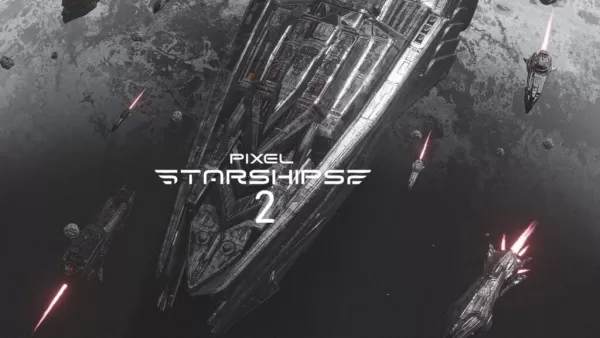
픽셀 스타쉽스 2, 안드로이드 사전 등록 및 스팀 페스트에서 데모 제공
픽셀 스타셔프스 2가 안드로이드로 출시됩니다. 세비 소다의 별선전략 시리즈 다음 장은 올 가을 모바일 및 PC에서 얼리 액세스로 출시될 예정입니다. 이번 시리즈의 2016년 원작에 대한 속편에 대한 사전 등록이 현재 안드로이드에서 오픈되었습니다.픽셀 스타셔프스 2의 새로운 기능복잡한 세력과 끊임없이 변화하는 동맹으로 이루어진 은하계를 배경으로 하는 픽셀 스타셔프스 2는 완전히 새로운 싱글플레이 캠페인을 선보입니다. 당신의 선택은 여러 별계에 영
최신 게임

Baalveer New Game
하찮은 일丨21.2 MB
Pro Pilkki 2 - Ice Fishing
시뮬레이션丨113.5 MB

Rich Monkey
카드丨2.80M

Euchre Classic Card Game
카드丨36.00M

Coin Japan Pusher Fever Mania
카드丨58.00M

Football Games 2024 Offline
스포츠丨49.6 MB

갓오브하이스쿨: 리부트
역할극丨175.7 MB








주요 뉴스
더 +


01
02-03
02
05-26
Bluestacks 기능에 대한 MU 불멸의 경험을 향상시킵니다
MU Immortal은 팬들이 좋아하는 클래식 MMORPG 게임 플레이의 본질을 포착합니다. 주로 모바일 용으로 설계된이 게임은 Bluestacks를 사용하여 PC에서 플레이 할 때 진정으로 빛납니다. 게임을 간소화하고 향상시키는 다양한 도구 덕분
03
05-16
"Clair Abscur : 원정 33은 3 일 만에 1 백만 건에 쳤다"
Clair Abscur : Expedition 33은 게임 세계를 폭풍으로 끌어 올렸으며, 출시 후 3 일 만에 백만 장 이상을 판매함으로써 경이로운 개막 주말을 달성했습니다. 이 놀라운 업적은 2025 년 초 최고의 플레이어 등급 게임으로 지위를냅니다.
04
04-21
Roblox Anime Genesis : 2025 년 1 월 코드
Roblox의 역동적 인 타워 방어 게임 인 스릴 넘치는 애니메이션 창세기의 세계로 뛰어 들면서 좋아하는 애니메이션 캐릭터의 분대를 조립하여 협박 몬스터를 막습니다. 솔로 레벨을 다루거나 친구와 팀을 이루든 새로운 영웅을 소환하는 데 사용할 수있는 보석을 얻을 수 있습니다.
05
01-20
FANTASIAN의 새로운 DLC 및 선주문
FANTASIAN Neo Dimension: DLC 및 예약 구매 정보
추가 콘텐츠에 대한 기대는 크지만 FANTASIAN Neo Dimension DLC나 스토리 확장은 가능성이 낮습니다. 미스트워커 헤드 사카구치 히로노부(Hironobu Sakaguchi)는 완전하고 독립적인 게임 경험을 목표로 속편을 선호한다고 밝혔습니다.


